





MacXDVD Download Center
-

100% Safe & Secure, No Viruses or Ads
-

1-click Downloads, Fast and Stable
-

Offline Processing, Privacy Protected
-

Trusted by Millions of Users Worldwide
For Win
For Mac


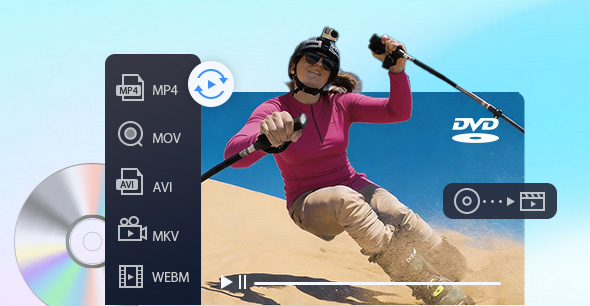
 MacX DVD Ripper Pro
Backup & rip DVD to MP4 (H.264/HEVC) with high quality and full GPU acceleration.
- 47X Faster GPU Acceleration
- 3.6M DVDs Processed Yearly
- 86M Users Worldwide

 Macxvideo AI New Update
All-in-one media toolkit powered by AI. Enhance videos and images, upscale to 4K, convert/compress/record videos.
- 10 AI Models
- 40-80% Faster Processing
- Cinematic Quality
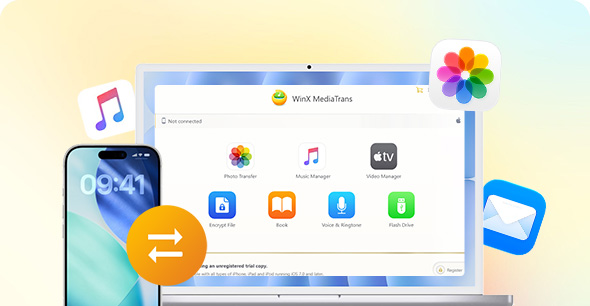
 MacX MediaTrans
Best iTunes alternative to manage iPhone/iPad/iPod. Transfer iOS files from/to PC. No data erasing.
- #1 Fast Photo Transfer
- 2-Way Music Transfer
- 1-Click iPhone Management

Explore More AI Tools from Our Sister Brand
 Aiarty Image Enhancer
Denoise, deblur, and restore photos with faithful texture and natural clarity. Upscale images to 4K/8K/32K with the right detail.
Available on  Windows &
  Mac
Mac
 Aiarty Image Matting
State-of-the-Art AI matting software for extracting foregrounds, merging with backgrounds, and achieving pixel-perfect results.
Available on Windows & Mac
Trusted by 200+ tech experts
We Are MACXDVD
-
158M
Downloads
-
200+
Core Upgrades
-
47X Faster
GPU Acceleration
-
100% Secure
Local Processing
FAQs For any inquiries about our products, please be free to contact us.
Yes, our software is 100% clean and safe. No virus, no Trojan, no malware or spyware. There are always strict tests (scanned by over 50 antiviruses) before we release our program. If you antivirus or security program reports it as a virus or harm to your computer, it should be a false detection.
Please turn off your antivirus temporarily or contact us with the following information:
- Operation system
- Version of MacX program
- Version of antivirus and virus report (Required)
- More about your antivirus (Is it the latest version? Is it running the latest virus database?)
Yes, we offer free trials for all of our software. You can find all available software for free download on the download center. Simply download the software for free and give it a try.
Yes. The software does not require a continuous Internet connection for everyday tasks such as DVD ripping, video/image enhancement, video conversion, editing, or file management.
However, the software is not designed to remain permanently offline. An Internet connection is required in the following situations:
- Initial Activation: The software must connect to our licensing server when you first register your license code.
- Periodic License Verification: To maintain license validity, the software performs routine license verification. For both 1-Year and Lifetime licenses, verification is required approximately once every 30 days.
- Online-Dependent Features: Internet access is required for software updates, downloading or updating AI models, and using online video downloading and analysis features.
Important: If the software remains offline for longer than the verification period, license validation may fail and the program will display an "Invalid License Code" message. In this case, simply reconnecting to the Internet may not be sufficient. You may need to remove the existing license code and register it again while connected to the Internet. To avoid interruption, we recommend connecting your device to the Internet at least once every 30 days.
Yes. We do not collect, access, or track the videos, photos, music, downloads, or transferred files you process with our software. Your data remains private and securely under your control.
Images and videos processed using our software are handled locally on the user's device and are not uploaded, transmitted, or made accessible to Digiarty.
User images/videos are not used for AI model training, analytics, research, or future product development. Users retain full ownership of all images processed using the software, provided that they already own or have obtained all necessary rights and permissions to such content prior to processing in Digiarty software.
MacX DVD Ripper Pro accepts any DVDs, including newer and older discs, as well as regional DVDs. You can even rip content from encrypted or damaged discs.
MacX DVD Ripper Pro is a terrific DVD to iPod converter for Mac software app, and it works fast while maintaining a high level of quality.
MacX DVD Ripper Pro makes easy work of getting movies and TV off DVD and into a more modern digital format you can preserve, stream or watch on new devices.
It makes it easier than ever to repackage your favorite videos including TV shows and your own recordings for playback on your mobile devices with 32X faster speed and great quality.
MacX DVD Ripper Pro aims to offer the highest possible quality digital file after copying and converting your DVD. Its DVD backup feature automatically activates a demuxing/remuxing kernel to copy DVD content, including video/audio tracks and different subtitles, out of the physical discs without re-encoding.