
Twitter

Home > MacX iPhone Video Converter

MacX iPhone Video Converter - Convert Any Video to iPhone, iPod, iPad Compatible Formats on Mac OS

MacX iPhone Video Converter

Time-limited Special Offer: $39.95, $29.95

Buy iPhone Video Converter Get iPhone Mounter for FREE

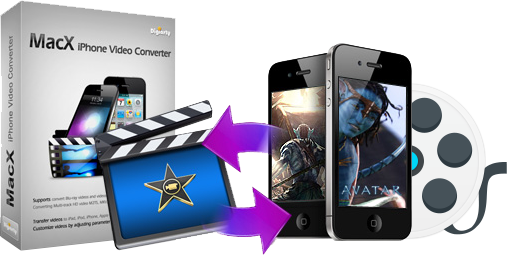
MacX iPhone Video Converter converts any video like MKV, AVCHD, AVI, M2TS, MP4, WMV etc to iPhone, iPod, iPad, MOV, MP4 etc with original quality.

MacX iPhone Video Converter is a useful Mac iPhone video converter software for Apple enthusiasts who are looking to get their favorite videos viewable on iPhone, iPod, iPad, Mac computer by transforming videos to different devices. It accepts almost any popular video formats as input, including both high definition video formats MKV, M2TS, AVCHD, MTS, TOD, HD H.264/MPEG-4 AVC, HD MPEG and standard definition video formats AVI, MPEG, WMV, DivX, MP4, MOV, RM, RMVB, ASF, 3GP, WebM, etc.

This Mac iPhone Video Converter also performs its excellence in customizing stylish videos by a wide range of preset output options and completely personalizing videos by adjusting parameter setting, clipping video segment, removing subtitle, etc. With MacX iPhone Video Converter, you can convert video with perfect output quality and high conversion speed.

Buy MacX iPhone Video Converter Download MacX iPhone Video Converter
MacX Video Converter Pro

MacX Video Converter Pro

Convert among M2TS, AVCHD, MKV, FLV, MOV, MP4, AVI, MPEG, WMV, etc.

$49.95, $34.95 Save: 30%

Buy MacX Video Converter Pro
MacX DVD Ripper Pro

MacX DVD Ripper Pro

Rip Protected DVDs to MOV, MP4, FLV, iTunes video for Mac, iPhone, iPod, Android etc.

$59.95, $39.95 Save: 33%

Buy MacX DVD Ripper Pro
MacX DVD Video Converter Pro Pack

MacX DVD Video Converter Pro Pack

Include DVD Ripper Pro and Video Converter Pro.

$109.90, $45.95 Save: 60%

Buy MacX DVD Video Converter Pro Pack

MacX iPhone Video Converter Main Features

Convert HD Video M2TS MKV BDAV on Mac

Support Converting High Definition Video on Mac OS

MacX iPhone Video Converter serves as a high-definition Mac iPhone video converter. It is capable of converting HD videos such as BDAV, M2TS, MTS, HD MKV, AVCHD, MOD, TOD, MTS which are extracted from Blu-ray movies or recorded from HDTV and major HD camcorders, like Panasonic, Canon, JVC, Sony.

Convert SD Video AVI MPEG WMV to iPhone

Converting Standard Definition Video to iPhone

It converts almost any standard definition video files such as AVI, MPEG, WMV, DivX, MP4, MOV, RM, RMVB, ASF, MPEG, WebM, Google TV, etc. to MP4, H.264, MPEG-4 supported by Mac, iPhone (iPhone 5, iPhone 4S, iPhone 4, iPhone 3GS), iPod touch, iPod classic, iPod nano, iPad, iPad 2, iPad 3/4, iPad Mini.

Transfer Videos to iPhone iPod iPad

Transfer Videos to iPhone, iPod, iPad

With a wide selection of profiles for popular devices, it works perfectly for iPhone 5, iPhone 4S, iPhone 4, iPhone 3GS, iPad, iPad 2, iPad 3/4, iPad Mini, iPod touch, iPod classic, iPod nano, MP4 players and various mobile phones.

Convert Video to MOV MP4 FLV

Convert Video to Quick Time, iMove, YouTube FLV

Besides converting HD and SD videos to iPhone, iPod, iPad, it can also convert video files to MOV, MP4, FLV which can be watched by QuickTime player, edited by iMovie, or uploaded to video sharing sites, like YouTube, Metacafe, Break, etc.

Support Multi-Track Videos

Multi-Track Videos Supported

The unique feature with multi-track videos supported distinguished MacX iPhone Video Converter from other similar video converting tools. It lets audience choose their preferred language when watch HD videos (such as BDAV, M2TS, MKV, AVCHD, MPEG-TS video files) that contains multiple audio language track and video track.

Tim and Clip Video Segment

Tim and Clip Video Segment

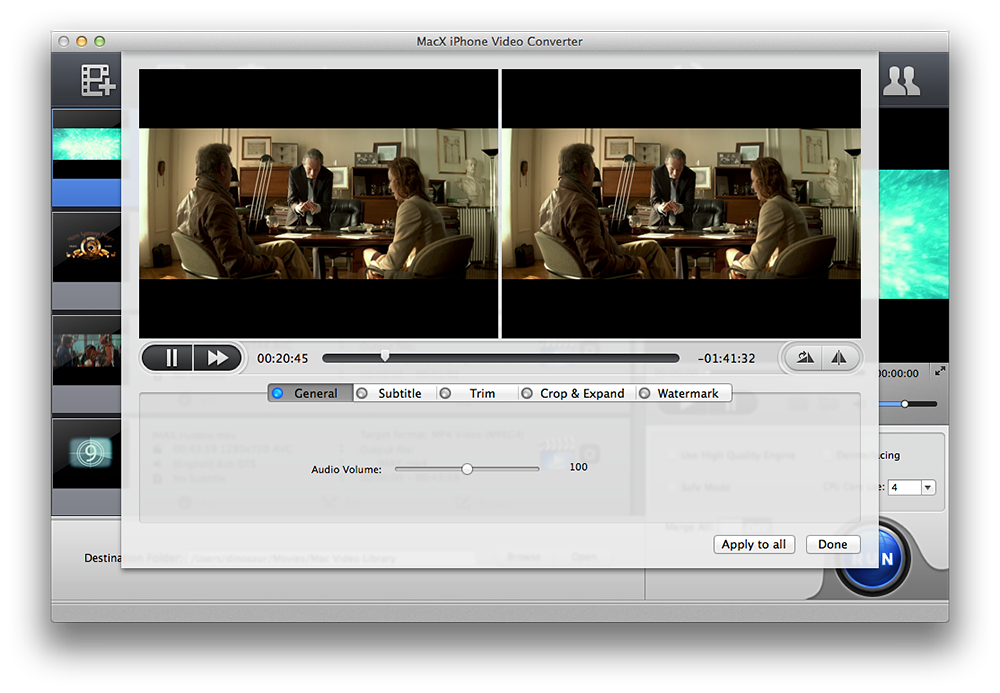
Before conversion, you can clip the required segments from your video and remove the unwanted video advertisement, which not only can save space for your portable devices, but also can enhance the value of your enjoyment.

Take Snapshot and MP3 Audio from Video

Take Snapshot and MP3 Audio from Video Files

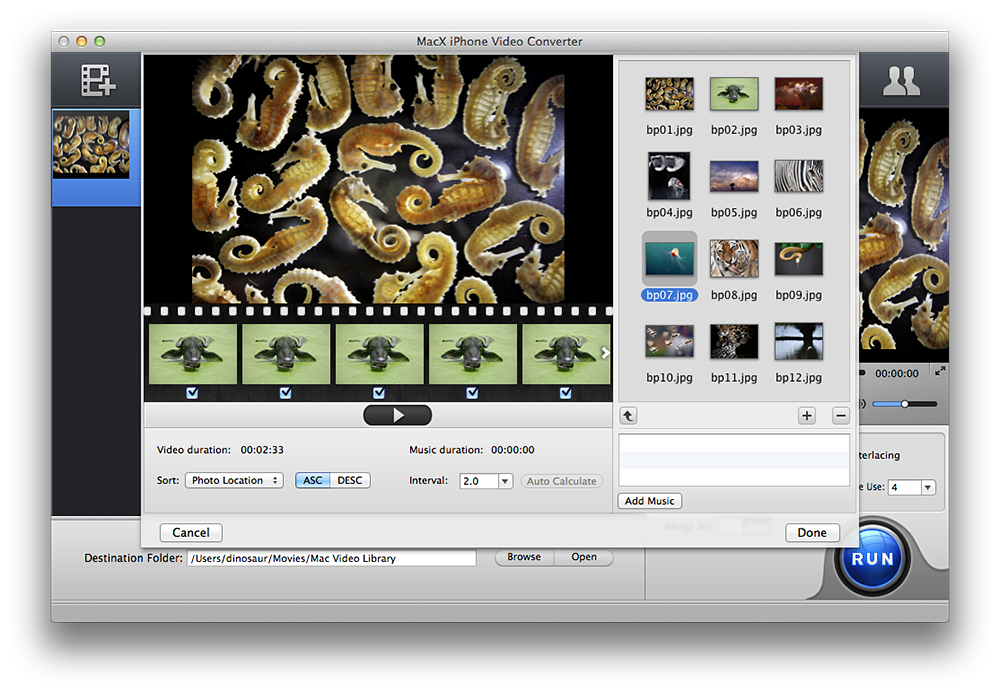
It allows you to take snapshot from video files to be saved as JPG, BMP format and create your own picture collections from movies. You are also allowed to extract audio tracks from multimedia files to set as the ringtone for your iPhone.

Optimized Settings for iPad iPod iPhone

Optimized Settings for iPad, iPod, iPhone

A series of practical settings are provided to make personalized videos, such as video trimming, batch conversion, frame rate, video bitrate, audio bitrate, stretch to full screen, etc. You can change the default parameter settings to fit diverse multimedia devices, such as iPhone 5, iPhone 4, iPod touch 5, iPad 2/3, iPad Mini, etc.

Fast Speed and High Quality

Fast, High Quality and Easy-to-use

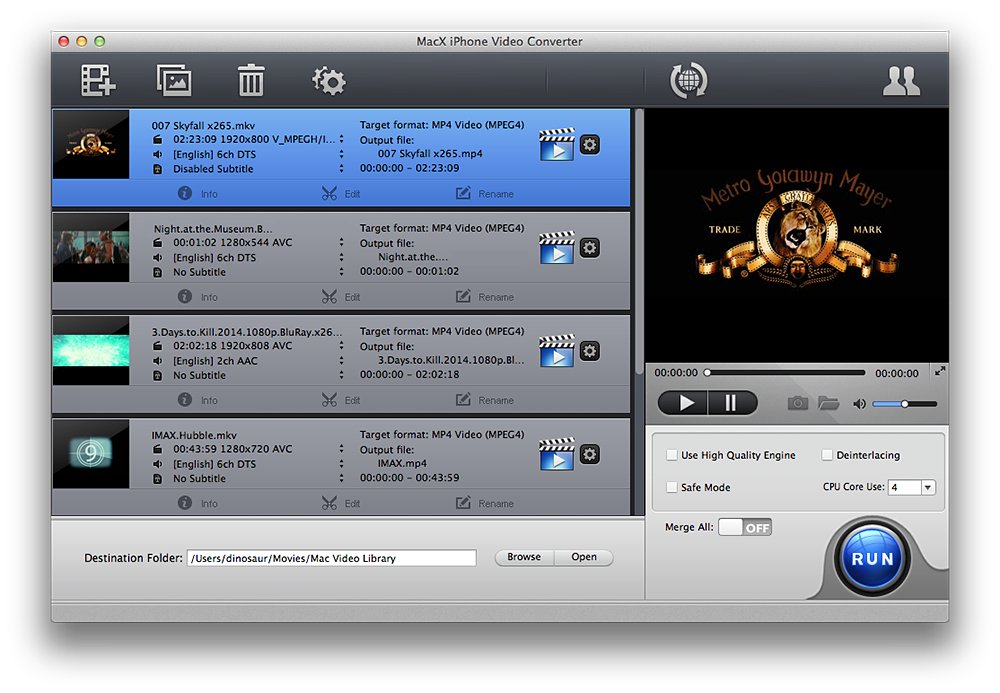
Simple graphical user interface makes it easy to use for both novices and professionals and it enables you to makes full use of dual and multi-core CPU to speed up the conversion, up to 8x real time. The advanced De-interlace Accelerator, High Quality Engine and Intelligent A/V Synchronizer will also ensure the output quality as same as original.

Reference

Input Format Supported

Input Video Files

High Definition Video

AVCHD Video (*.mts, *.m2ts), H.264/MPEG-4 AVC (*.mp4), MPEG2 HD Video (*.mpg; *.mpeg), MPEG-4 TS HD Video (*.ts), MPEG-2 TS HD Video (*.ts), Quick Time HD Video (*.mov), WMV HD Video (*.wmv, *.xwmv), Blu-ray Video (*.mts, *.m2ts), HDTV Video (*.ts), Matroska Video (*.mkv)

Video Camcorder

JVC HD camcorder Video (*.mod, *.tod), Sony HD camcorder Video (*.mts, *.m2ts), Panasonic & Canon HD camcorder Video

Standard Definition Video

AVI, MPEG, WMV, MP4, FLV, F4V, H.264/MPEG-4, DivX, XviD, MOV, RM, RMVB, VOB, ASF, 3GP, 3G2, QT, DAT, AVI, MPEG, WMV, MP4, FLV, F4V, H.264/MPEG-4, DivX, XviD, MOV, RM, RMVB, VOB, ASF, 3GP, 3G2, QT, DAT, Google TV, WebM, Vpx 8

Output Format Supported

Output Format

iPhone, iPhone 5, iPhone 4S, iPhone 4, iPhone 3GS, iPhone 3G, iPod, iPad, iPad Mini, MOV, MP4, FLV, BMP, JPG, MP3

Platform

Mac OS X Tiger/Leopard/Snow Leopard/Lion/Mountain Lion

Screenshot

Maclife Macworld Softpedia Macupdate Macnn

Customer Testimonials

The interface and the ease of use of MacX iPhone Video Converter impressed me at the moment when I launch the software. The video quality in the output file seems great on my iPhone. The conversion speed is much faster than I imagine. It is almost 200% faster than any other video converter I have used.

- Comment by Jason

I have used MacX iPhone Video Converter for about two weeks. Everything is neatly organized and three easy steps are enough to convert any video files. With its help, I can make up of the videos recorded on my Sony HD camcorder to MP4 video formats without any quality loss.
- Comment by Andrew

Related Products

MacX iPhone DVD Ripper

MacX iPhone DVD Ripper

Rip both homemade and commercial DVDs to a wide range of output formats for playback on iPhone, iPod, iPad. It also supports converting DVD to MP4, H.264, MOV and MP3 files without any image or video quality loss.

Special Offer: $39.95, $29.95 Save: 25%

Buy MacX iPhone DVD Ripper

MacX iPhone DVD Video Converter Pack

MacX iPhone DVD Video Converter Pack

Packed with MacX iPhone Video Converter and MacX iPhone DVD Ripper, it allows you to rip any DVD and convert all popular used videos (including both HD and SD videos) to iPhone, iPod, iPad, MOV, MP4, MP3 etc with fast speed.

Special Offer: $79.90, $34.95 Save: 55%

Buy MacX iPhone DVD Video Converter Pack