


Home > MacX iPad Video Converter
MacX iPad Video Converter - Convert Video and Transfer to iPad and Apple TV for Enjoy Them Where You Go
Time-limited Special Offer: $29.95, $19.95
Buy it today, do not miss the time limited special offer

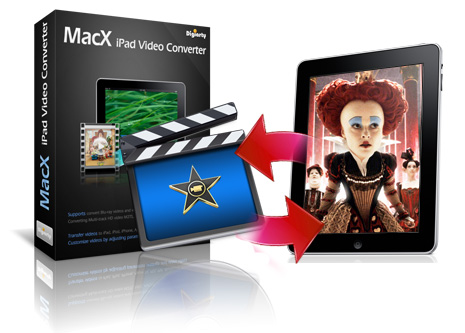
MacX iPad Video Converter is a professional Mac iPad video converter software which is designed to convert any HD and SD videos, including 4K, MKV, M2TS/MTS, AVCHD, H.264/MPEG-4 AVC, HEVC, MPEG-2 HD, MPEG-4 TS HD, AVI, WMV, FLV, MP4, RM, RMVB, WebM, etc. to iPad compatible format H.264, MPEG-4, MOV for enjoyment within a few clicks.
Besides converting video to iPad on Mac, this iPad video converter also provides you with the option to convert videos to Apple TV, MOV, MP4, M4V, MP3, AAC, etc. Thus you can transfer your video files, such as YouTube videos, Blu-ray video, HD videos or homemade videos for play them on your iPad and Apple TV. To meet your specific needs, this Mac iPad converter gives you flexible output controls such as Bit Rate, Frame Rate, Aspect Ratio, stretch to full screen, clip video segment, add subtitle to customize personalized video.


Convert among M2TS, MKV, MP4, FLV, MOV, AVI, etc. Edit, download and record video.
$59.90, $39.90 Save: 33%

Rip Protected DVDs to MOV, MP4, FLV, iTunes video for Mac, iPhone, iPod, Android etc.
$59.95, $39.95 Save: 33%
MacX DVD Video Converter Pro Pack
Include DVD Ripper Pro and Video Converter Pro.
$109.90, $45.95 Save: 60%
iPad HD/4K Video Converter to Convert Video to iPad
MacX iPad Video Converter works as an iPad HD/4k video converter, which can convert almost any high definition video files, like 4K, AVCHD (*.mts, *.m2ts), MKV, MOD, TOD, H.264/MPEG-4 AVC, MPEG-2 HD, MPEG-4 TS HD, MPEG-2 TS HD, Quick Time HD, etc and transfer them to MP4, H.264, HEVC, MPEG-4, MOV, M4V, etc for Mac, iPad/Pro/Mini/Air, The new Apple TV, etc.
Convert 4K/HD Video to iPad and Apple TV Supported Formats
This Mac iPad Video Converter not only accepts HD and even 4K videos as input files, but also supports general videos, such as AVI, FLV, MPEG, WMV, VOB, RM, RMVB, ASF, 3GP, and so on. It offers you the easiest and fastest way to convert videos to different types of iPad including iPad 2, iPad 3, iPad 4, iPad Pro, iPad Mini 4, the newly released iPad Air and iPad Mini 2 with Retina display, and allows you to transfer any video to Apple TV compatible format.
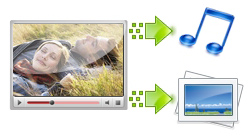
Extract Audio and Picture from Video files for iPad on Mac
It allows Mac users to extract audio from video files and transfer to iPad supported audio formats MP3, AAC, AC3, etc to enjoy them where you go. You can also take snapshots from the video in PNG format and collect them as fantastic wallpapers for iPhone, iPad, iPod or your Mac computer.
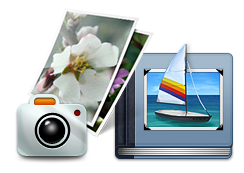
Create Photo Slideshow with Music
This Mac iPad video converter also enables you to create stunning slideshow from your photo libraries. You can add background music or voiceovers to your slideshow to help to tell your unique story. With a few clicks, your memories are transformed into Hollywood-like movies and you can share it on your iPad and Apple TV effortlessly.

Trim Video Segment, Cut off Unwanted Part and Add Subtitle
This video converter for Mac is able to trim video segment, cut off the unwanted part, separate a large video file into several smaller ones or merge several videos into a new one to better fit your iPad. With this Mac iPad video converter assistant, you can add downloaded subtitles in AAS/SRT format to your video sources.
Multi-track HD Video Supported
MacX iPad Video Converter is the first HD iPad video converter with Multi-track HD video supported, so it makes easy for Mac users to choose the audio track you want to use when converting HD video, M2TS, MKV, AVCHD, HDTV BDAV and MPEG-TS that collected from HDTV, HD camcorder, or Blu-ray movies.
Default Setting for Beginner, Customizable Parameter for Advanced Users
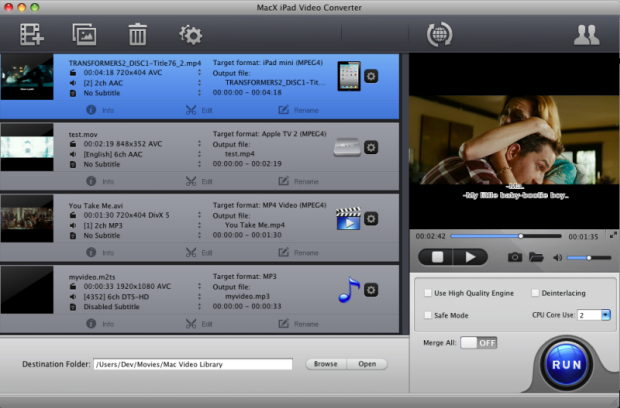
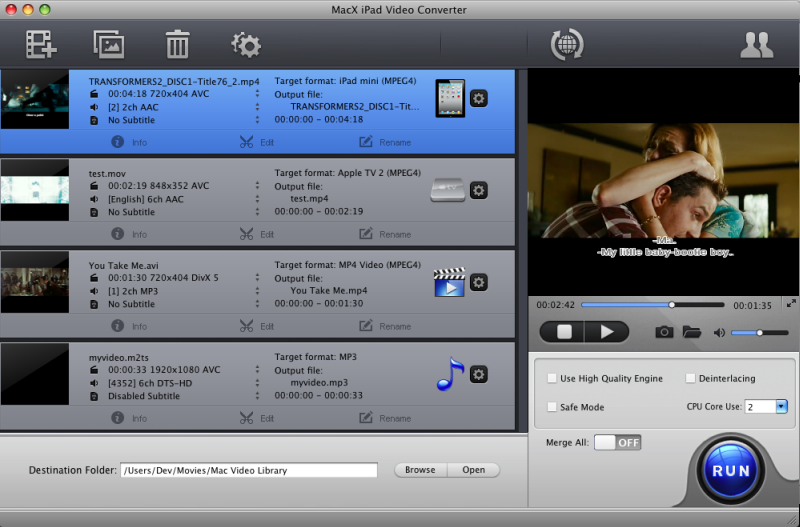
For beginners, the default setting provides conversion profiles with optimized output parameters that suit your iPad most. For advanced users, embedded useful pre-defined options are provided for you to choose and customize frame size, adjust video bitrate, change audio bitrate, stretch to full screen or other operations as you want.
Advanced Setting to Smooth the iPad Video Conversion
The advanced setting in MacX iPad Video Converter is designed to improve the output quality, increase the conversion speed and smooth the conversion process. With multi-core CPU supported, it can maximize the speed, up to 8x real time converting speed on Mac OS. The Deinterlacing, High Quality Engine, Force A/V Sync and Safe Mode let you experience fast conversion process and brilliant effects.




Input Format Supported
Input Files |
High Definition Video |
AVCHD Video (*.mts, *.m2ts), H.264/MPEG-4 AVC (*.mp4), MPEG2 HD Video (*.mpg; *.mpeg), MPEG-4 TS HD Video (*.ts), MPEG-2 TS HD Video (*.ts), Quick Time HD Video (*.mov), WMV HD Video (*.wmv, *.xwmv), Blu-ray Video (*.mts, *.m2ts), HDTV Video (*.ts), Matroska Video (*.mkv) |
Video Camcorder |
JVC HD camcorder Video (*.mod, *.tod), Sony HD camcorder Video (*.mts, *.m2ts), Panasonic & Canon HD camcorder Video |
|
Standard Definition Video |
AVI, MPEG, WMV, MP4, FLV, F4V, H.264/MPEG-4, DivX, XviD, MOV, RM, RMVB, VOB, ASF, 3GP, 3G2, QT, DAT, AVI, MPEG, WMV, MP4, FLV, F4V, H.264/MPEG-4, DivX, XviD, MOV, RM, RMVB, VOB, ASF, 3GP, 3G2, QT, DAT, Google TV, WebM, Vpx 8, iCod, G2M4 |
|
Photo & Picture |
JPG, PNG, BMP |
Output Format Supported
Output File Format |
iPad, iPad Pro, The new Apple TV, iPad 2, The New iPad, iPad 4, iPad Mini 2/3/4/5, iPad Air, Apple TV, MOV, MP4, M4V, H.264, MPEG4, MP3, AAC, iPhone Ringtone, AC3, WMA, AIFF, CAF, DTS, OGG, AU, RA, WAV (Lossless Audio), FLAC (Lossless Audio), ALAC (Lossless Audio), PNG |
Platform |
Mac OS X Tiger/Leopard/Snow Leopard/Lion/Mountain Lion/Mavericks/Yosemite/El Capitan/macOS Sierra/High Sierra/Mojave |
languages |
English, Japanese, Traditional Chinese, Simplified Chinese, German, Italian, French, Portuguese, Spanish and Korean |






After a trial of MacX iPad Video Converter, I'm really surprised with the result brought by this Mac iPad video converter. Amazing! Thank you so much for creating such powerful and effective software. I can now enjoy the HD videos recorded by my Sony HD camcorder on my iPad with ease.
- Comment by Lucas
I get this Mac iPad Video Converter software several days ago, it is exactly do the joy what I was looking for. It is extremely useful, and I am going to introduce this handy software on my facebook and share it with my friends who would like to get video on their iPad.
- Comment by LornRelated Products
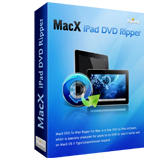
Mac DVD to iPad converter software to rip any DVD movies to iPad, iPad 2, MP4, MOV, MP3 music files. It's fully compatible with all type of iPad including iPad Wi-Fi, iPad Wi-Fi+3G, iPad 16GB, iPad 32GB, iPad 64GB.
Special Offer: $29.95, $19.95 Save: 33%

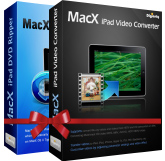
Pack with MacX iPad DVD Ripper and MacX iPad Video Converter. It provides best solution to convert any DVDs and popular used videos, such as MKV, AVCHD, M2TS, AVI, MPEG, etc to iPad, MP4, MOV, Music etc on Mac OS.
Special Offer: $59.90, $29.95 Save: 50%
I had the problem of converting some format. E-mail:support@macxdvd.com
Home | About | Site Map | Privacy Policy | Terms and Conditions | License Agreement | Affiliate | News | Contact Us
Copyright © 2024 Digiarty Software, Inc (MacXDVD). All rights reserved
Apple, the Apple logo, Mac, iPhone, iPad, iPod and iTunes are trademarks of Apple Inc, registered in the U.S. and other countries.
Digiarty Software is not developed by or affiliated with Apple Inc.