
Home > MacX DVD Ripper Pro for Windows
MacX DVD Ripper Pro for Windows - Backup, Rip, Edit Protected DVDs with Amazing Speed and Quality.
Time-limited Special Offer: $59.95, $39.95
Buy DVD Ripper Pro Get Video Converter Pro for FREE
It is an innovative DVD ripping tool to backup DVD to hard drive while preserving original quality and rip DVD movies into different video formats. It accepts a myriad of video formats such as FLV, AVI, MP4, WMV, MOV, MPEG as output formats, as well as the ability of ripping DVD straight to iPhone/5/4S/4/3GS, iPod, iPad/4/iPad Mini, PSP, Apple TV, Android, WP8, Surface, Zune, Zen, etc with stunning speed.
This DVD ripper software gives you full access to protected DVD movies by getting rid of the copy protections. It strips CSS encryption, Sony ARccOS encryption, RCE Region protection, Disney X-project DRM, etc. Powered with NVIDIA® CUDA™, it prompt DVD movies conversion, up to 5X faster in conversion time.
Latest version : v7.0.0 Released at : May-7-2013
Note: If you use Mac OS, please turn to the Mac version.
MacX HD Video Converter Pro for Windows
Powerful video converter software built-in 420+ A/V Codecs, Convert M2TS FLV WMV AVI MKV to iPhone iPad, and more.
Special Offer: $49.95, $34.95 Save: 30%
DVD Video Converter Pro Pack for Windows
Packed DVD Ripper Pro for Windows and Video Converter Pro for Windows. Convert DVD and video files to other popular format you like.
Special Offer: $109.90, $45.95 Save: 60%
Convert DVD to AVI, MP4, FLV, WMV, MOV Mainstream Videos
Backup and rip your DVD videos to the more convenient and smaller sized video formats. MacX DVD Ripper Pro for Windows comes prepared for many formats, including DVD to AVI, MP4, FLV, WMV, MPEG MOV, etc which are perfect for portable devices like iPhone, iPad, iPod, Apple TV, PSP, Android, Zune, Zen and more.
Keep Update with New Copy Protections
This DVD ripper is update constantly to keep update with any new type of copy protections. At this moment, it can strip DVD movies of the major copy protections, like CSS encryption, Sony ARccOS encryption, RCE Region protection, even the newly released Disney X-project DRM. It provides you a perfect solution of ripping copy protected DVD movies to plain videos.
Rip DVD Straight to iPhone, iPod, iPad, PSP, Mobile Phone
To make sure you could put your favorite DVD movies in your pocket for playback anywhere and anytime, this DVD ripper has a bunch of presets for portable devices and is capable of ripping DVDs straight to iPhone/5, iPad/3/Mini, iPod/5, Apple TV, Android, Surface Tab, Galaxy Tab, HTC, Samsung, Xoom, PSP, and other popular mobile phones and tablets.
Copy DVD to Hard Drive and USB
The copy feature allows you to copy DVD to large sized hard drives or USB while not cutting down the quality during the backup operation. It allows you to copy full title/main content of DVD to MPEG-2 file with lossless video quality and 5.1 Channel AC3/DTS Dolby audio.
Easily Trim, Crop, Merge, Add External Subtitle to Edit DVD Video
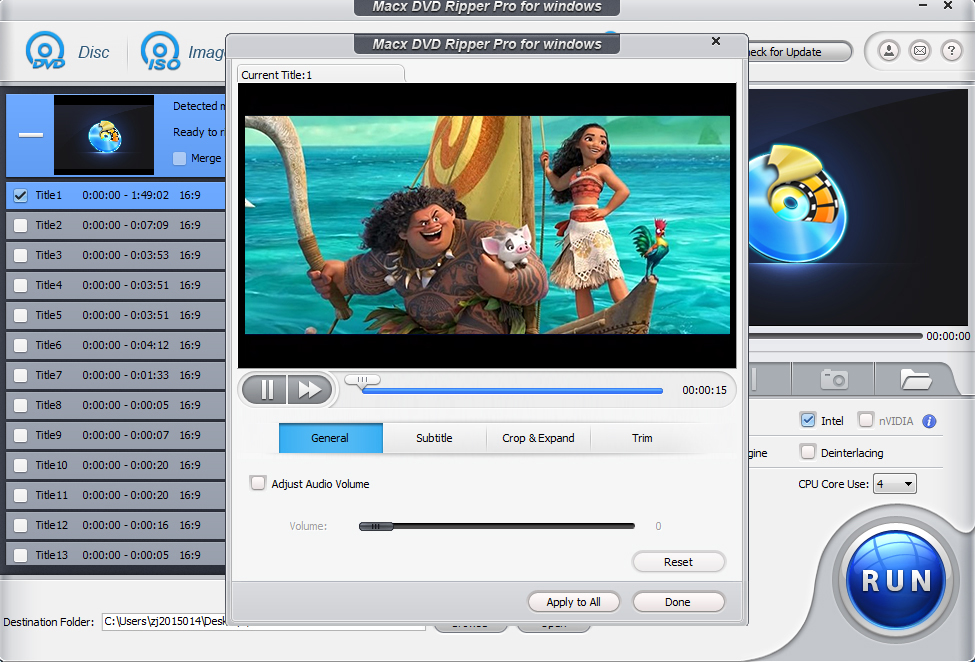
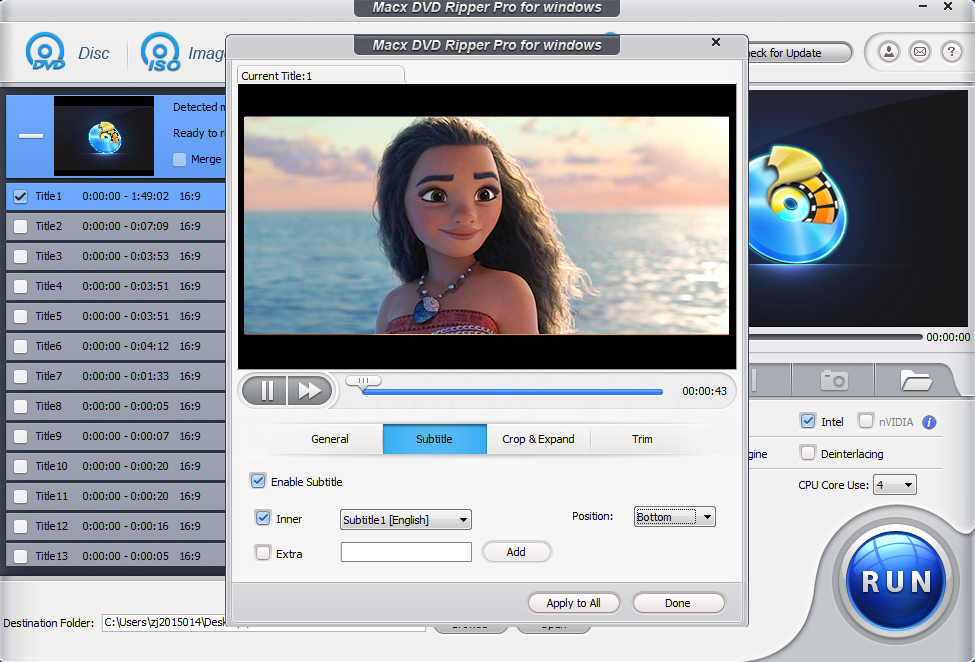
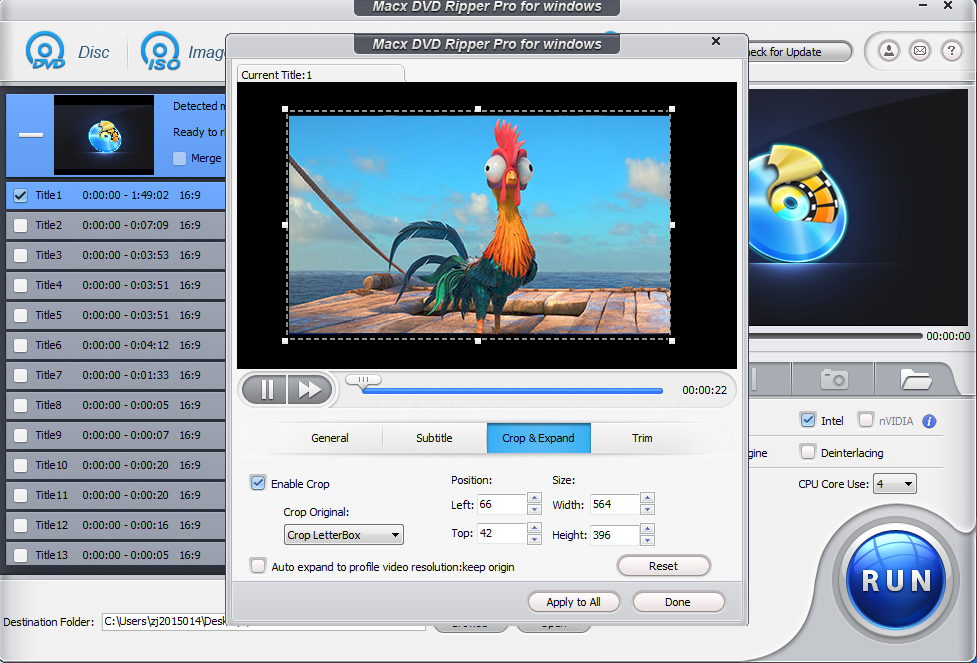
With this DVD ripping tool, You can access all available editing functions to trim, combine and crop your DVD movie. You can create a custom clip from a larger scene to adjust the duration of your clip by using trimming function. Crop feature hepls you cut off the black edges you don't want to keep. And combine some of video clips as a single video one by using merge option.
Flexible Parameter Settings for Personalized Output Video
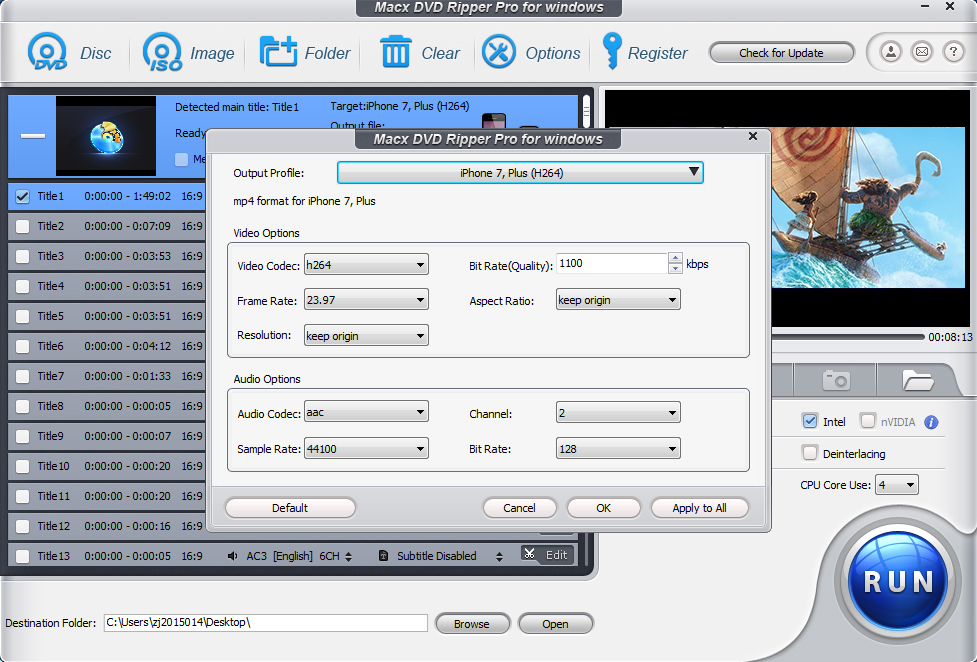
MacX DVD Ripper offers a decent level of control over parameter setting. Lots of customized options are provided so that you can choose video codec, adjust video/audio bitrate, frame rate, aspect ratio, resolution etc for making personalized videos.
Easy to Handle
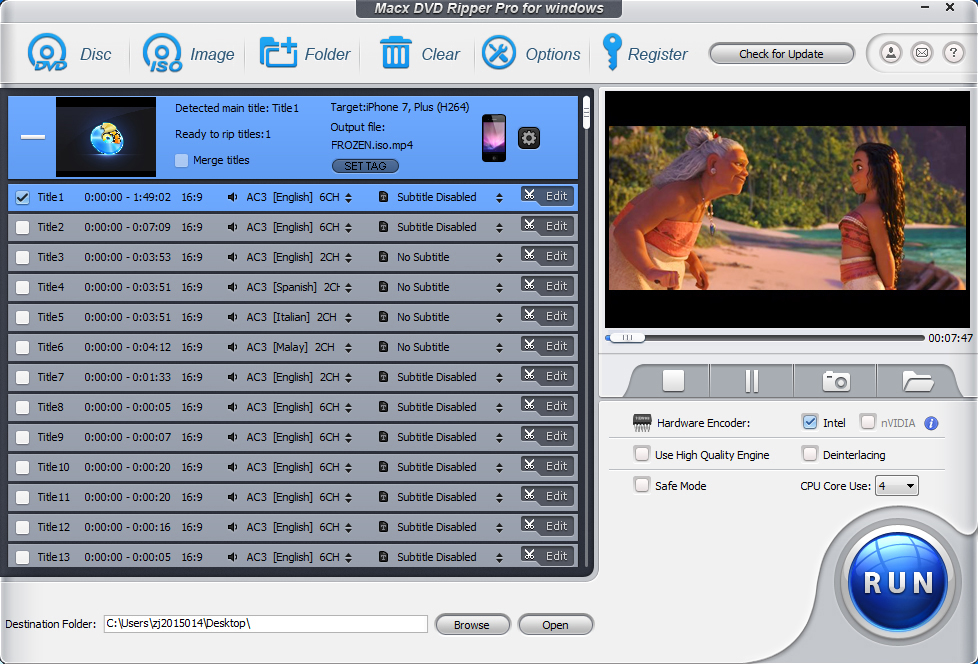
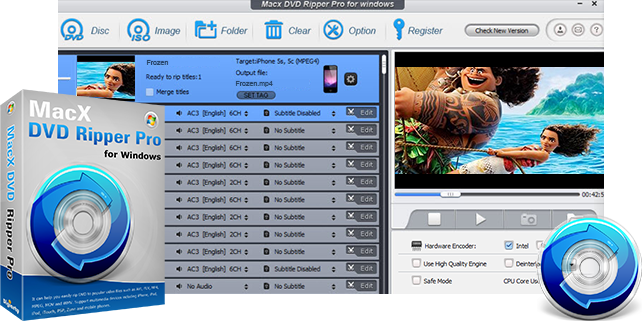
With a glossy interface, this DVD Ripper provides easy use of the application and effortless access to all the options available. Only a few clicks are needed to finish the ripping process, no matter you are newbie or experienced users.
Ripping DVD with Fast Speed
It is featured for NVIDIA CUDA graphics acceleration technology. This prompt the DVD ripping process, up to 6 times performance. The multi-core CPU utility and hyper threading technology optimized the speed as well. With the assistance of advanced functions, "Safe Mode", the conversion is smoothed dramatically.
High Output Quality
Generally, it is difficult to balance the video quality and file size. But this DVD ripper make a perfect balance between them. The default setting for each output format will help you to maximize the output quality. The "High Quality Engine " and "Deinterlacing" are also designed in this DVD ripper to ensure excellent output quality with desired file size.
Take snapshot and Extract Audio from DVD File
With this DVD ripper, it is easy to extract background music from the DVD file and rip DVD audio to MP3 audio format with high quality. An option is also offered to those who would like a copy of the favorite scene in the DVD movies for making wallpapers.
DVD to Videos:
General |
DVD ISO image, MPEG2 (DVD), AVI, MP4, MOV, M4V, AVI, AVC, MPEG, WMV, MTS, M2TS, TS |
YouTube |
MPEG4, MP4, FLV |
MP4, MOV, AVI, FLV |
|
Vimeo |
MP4 |
DVD to Devices:
Apple |
iPhone 3G, iPhone 3GS, iPhone 4, iPhone 4S, iPhone 5 |
iPad 2, the New iPad, iPad 4, iPad Mini, Apple TV |
|
iPod touch 1-5 |
|
iTunes, iDVD, iMovie, Final Cut Pro, Air Playit |
|
Android |
Pad: General, HTC, Samsung, Galaxy Tab, XOOM, Kindle Fire, Google Nexus 7, Huawei Pad, Lenovo Pad, Acer Pad, Asus Pad |
Mobile: General, HTC, Samsung Galaxy, Google, Huawei, Acer Mobile |
|
Microsoft |
WP8, Surface tablet, Xbox, Zune |
Sony |
PSP, PS3 |
Other |
Nokia, PDA, Blackberry, Zen |
DVD to Audio & Image:
Music |
MP3, AAC, AC3 |
Image |
JPEG, BMP |
Related Windows Products
Related Mac Products
Discount Mac Packages
How to
MacX DVD Ripper Pro for Windows is not only rip a DVD into any video format I want, but it can also rip straight to iPhone, iPod, Apple TV, iPad and PSP-friendly formats. This is particularly handy since other popular programs required to use third party software.

- Roy
I do like to feature of copy DVD, it make sense when I backup my DVD collections to my USB. To my surprise, the output video looks the same as the original one, yet the conversion only took me eight minutes. But it would be more great if it could add the ability of copying DVD to DVD.
- GlehnI had the problem of converting some format. E-mail:support@macxdvd.comHome | About | Site Map | Privacy Policy | Affiliate | News | Contact Us
Copyright © 2013 Digiarty Software, Inc. All rights reserved.